CogniTube logoCogniTubeBetaAdd to Chrome
Chrome Extension

Understand any
YouTube video
in seconds.

CogniTube generates AI summaries and smart bookmarks directly in your YouTube sidebar — no new tabs, no copy-paste.

Add to Chrome — It's freeSee Pro plan →

Free to install · Full Pro access during Beta
No credit card required

Works great for

Podcasts
Courses
Talks
Documentaries
Interviews
Explainers
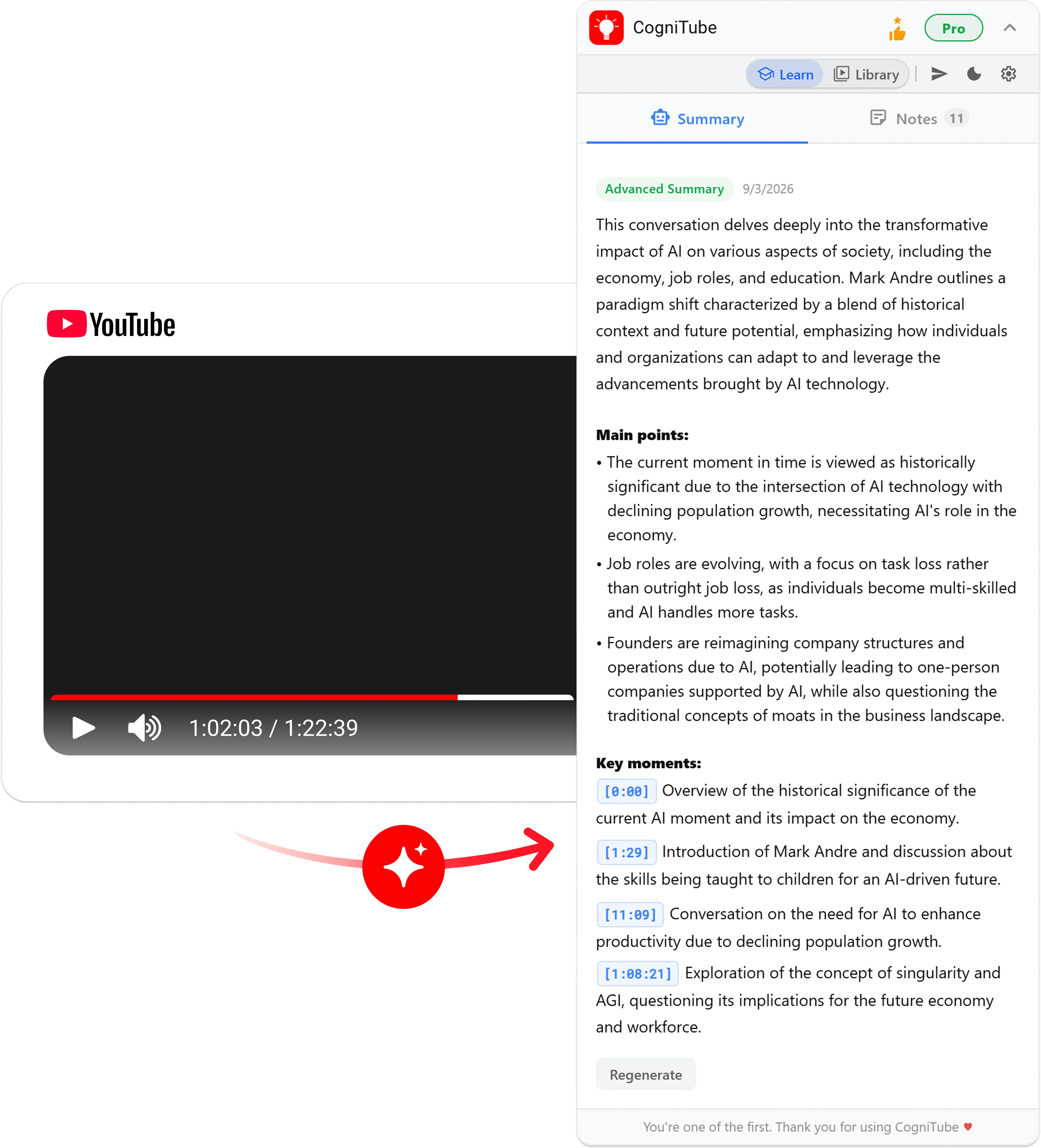
CogniTube extension showing AI summary and key moments in the YouTube sidebar

How it works

From video to knowledge in 3 steps

01

Install the extension

Add CogniTube to Chrome in one click. No account required to get started.

02

Open any YouTube video

Navigate to any video on YouTube. CogniTube opens a panel in your sidebar automatically.

03

Get your summary + add bookmarks

One click to generate an AI summary. Add personal notes to any timestamp and jump back to key moments instantly.

Plans

Free forever, or go Pro

Free
Pro
!
AI summaries / month
3
Unlimited
Bookmarks per video
5
Unlimited
Light / Dark mode
Quick & Advanced summaries · timestamps · output language
Cloud sync across devices
Cloud storage for summaries, notes & bookmarks
Dedicated support
Export to TXT, PDF & WordComing soon
Library — all summaries in one placeComing soon

Free during Beta · Paid tier launching soon · Powered by Stripe

FAQ

Common questions

Yes. CogniTube is free to install and use. The free plan gives you 3 AI summaries per month and up to 5 bookmarks per video — no credit card required.

During our beta, all users get full Pro access for free — unlimited summaries, bookmarks, cloud sync, and export. This is our way of saying thank you to early adopters.

Yes, absolutely. You can cancel at any time directly from the Stripe Customer Portal. You'll retain Pro access until the end of your billing period, then automatically switch back to the free plan.

English and Spanish are fully supported. Other languages may work depending on the video's captions — CogniTube uses the video's transcript, so any language with accurate captions should work.

Yes. CogniTube processes video transcripts to generate summaries and does not store transcripts or video content. Your summaries and bookmarks are stored locally (Free) or in your private Supabase cloud storage (Pro). See our Privacy Policy for full details.